
When you purchase through links in our articles, we may earn a small commission. This doesn't affect our editorial independence . Sponsored DealPost Sep 26, 2026 TL;DR: Get Microsoft Office Pro Plus 2019 for a one-time $16.97 payment (MSRP $229) and keep a lifetime license through October 4. Office has increasingly moved toward subscriptions, which
Tag: Windows’
Post
Post
Tiny11 trims Windows 11 down to 8GB, no bloat included
Tiny11 is based on Windows 11 version 25H2, offering a clean and responsive computing experience by removing unnecessary apps and services found in the standard Windows installation. Tiny11 requires approximately 8GB of disk space, compared to the 20GB typically used by a full Windows 11 setup. If you want an even more lightweight option, Tiny11
Post

One of Windows’ most hated features just helped catch a
That hacker is Peter Stokes, a 19-year-old who holds both American and Estonian citizenship. Finnish police grabbed him on April 10 as he tried to board a flight to Japan out of Helsinki. He was recently extradited to the United States, where six counts covering conspiracy...
Post
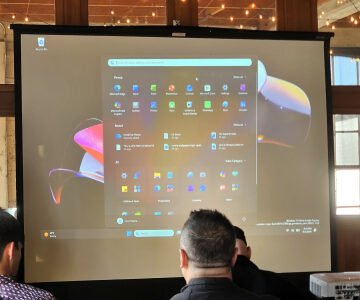
Windows Insider meetups are back. I went to one and
Image: Mark Hachman / Foundry Summary created by Smart Answers AI In summary: Microsoft has revived Windows Insider meetups where users provide direct feedback to key personnel like Marcus Ash and Scott Hanselman, marking renewed engagement after Windows 11’s criticized launch. PCWorld highlights Microsoft’s shift toward a “cleaner, quieter Windows” experience, focusing on quality improvements
Post
Windows 11 Pro dropped to just $9.97 for a limited
Image: StackCommerce TL;DR: Windows 11 Pro for $9.97 gets you a modern interface, better multitasking, and enhanced security for a one-time price. Upgrading your operating system isn’t usually exciting—it’s more of a “guess I should do this eventually” kind of task. But when Microsoft Windows 11 Pro drops to $9.97, it suddenly feels a lot more worth
Post
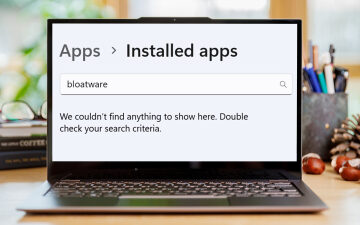
Strip out Windows 11’s bloatware, ads, and other grossness—for free
Image: Dominik Tomaszewski / Foundry Summary created by Smart Answers AI In summary: PCWorld highlights Winhance, a free open-source tool that simplifies removing Windows 11’s bloatware, ads, and unwanted pre-installed applications. The application consolidates system optimization, privacy settings, Windows update management, and customization options into one centralized interface. Winhance makes Windows configuration as straightforward as
Post
Windows 11 KB5074109 update nukes Nvidia gaming performance and stability
Windows 11 banner shown on Microsoft News (Image source: Microsoft News with edits) Windows 11’s KB5074109 January 2026 update is causing FPS drops and instability on some Nvidia GeForce gaming PCs, forcing players to choose between performance and security. Microsoft’s January 2026 Windows 11 KB5074109 security update is starting to look like bad news for
Post

Microsoft’s new Windows 11 preview infuses external webcams with AI
Image: Microsoft One of the strengths of local AI is its ability to filter out unwanted noise, and a couple of new Windows features Microsoft is testing take advantage of that. One of them will be rolled out to Copilot+ PCs that use Intel processors first, breaking Microsoft’s streak of tying new features to Windows
Post

Windows 11 migration is still causing lots of headaches for
(Image credit: Shutterstock) Running an old OS like Windows 10 could soon pose cybersecurity issues Upgrading could reveal software compatibility issues, report notes The clock is now ticking to avoid a rushed Windows 11 migration New research has uncovered some of the finer details around why many businesses are still being cautious with their approach
Post

Is Windows’ Alt+Tab shortcut broken for you? A rogue update
Image: Ham Patipak / Shutterstock.com Last week, Microsoft released a new optional patch for Windows 11 called update KB5060829. Since then, users have been reporting that the update is causing problems with the Alt + Tab keyboard shortcut. According to Windows Latest, the issues don’t just stop at the popular productivity shortcut either. Other issues