
Claudio Divizia/Shutterstock
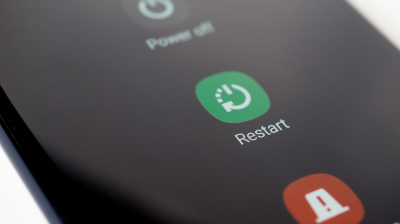
Needless to say, our phones contain some of our most personal information. This includes conversations, credentials, camera rolls, and plenty of other info we wouldn’t want to share with everyone. But with more convenient methods of unlocking — like fingerprint scans and facial recognition — come with their own set of risks. Anyone who’s nosy enough can easily open your phone and gain access to all this data. However, if you restart your phone often, you’ll be doing the digital equivalent of pulling the drawbridge up to protect what’s in it. In this state, your device enters into BFU or Before First Unlock, which requires you to enter your passcode, PIN, or password before your chosen biometric unlock option is available. In this state, files on your phone remain encrypted until it enters AFU, or After First Unlock; only then will your files become accessible once more until the next shutdown or restart.
You’ll know your device has entered its BFU state if you see some small text implying you’ll be able to unlock all your features and data before you enter your passcode. And before starting a debate over whether iOS is safer than Android, both operating systems have this feature by default. BFU has been integrated as a key security feature since iOS 8 and Android 7.0 (Nougat), so if you own a fairly new device, you’re covered. In fact, in later versions, your device automatically restarts and re-enters BFU if it hasn’t been powered off after a certain period of time. With default settings, your iPhone automatically restarts after 96 hours, whereas your Android device restarts after 72 hours of inactivity.
Make sure your phone can enter BFU (Before First Unlock) state
Thaspol Sangsee/Shutterstock
In BFU state, your personal information, files, and other sensitive data remain encrypted. In case your device gets extracted for info while in BFU, only certain pieces of data can be accessed such as device information, recent system notifications, and incoming calls and messages. This is helpful in case you are locked out of your own device while trying to keep sensitive info out of reach. To make sure BFU is enabled on your device, you will need to have a four or six-digit PIN, an alphanumeric password, or a pattern you can draw (which is a method available on Android devices). Regardless of your chosen unlocking method, don’t register one that can be easily guessed by anyone — and even if you have a secure code in mind, make sure you update your passwords regularly.
If you find yourself in a situation where law enforcement might demand access to your phone, or a thief is forcing you to unlock it, powering off (or restarting) before handing it over is a safe and smart decision to make. Moreover, a 2019 U.S. court ruling in California has generally ruled that police can’t compel you to disclose your passcode, which is protected under the Fifth Amendment. So if your phone is in BFU, they can’t force you to type it in — and they can’t bypass it with your fingerprint, either. Just make sure to check your local jurisdiction’s stance on disclosing your phone’s password to law officers or legal representatives.
Leave a Reply