
Ismar is a Senior Author at How-To Geek. He previously worked as a writer, editor, and general manager at a content agency before joining the How-To Geek team in 2023.
Ismar has been around Windows PCs since the age of three, so his friends and family chose him as the resident tech support. His projects often involve tinkering, such as disassembling mechanical keyboards and gaming mice to mod his beloved gear. He also enjoys pushing his hardware to the max through overclocking while staying on a reasonable budget.
An avid gamer, Ismar has logged thousands of hours across various genres, including first-person shooters, RPGs, car racing games, and roguelites.
When he is not at his desk, he is probably exploring other people’s phones to discover their quirks and features. He also keeps up with the latest tech and actively follows the latest AI trends.
He began his writing career in 2021 after completing a BA in English Language and Literature. To keep up with his workload, he relies on up to three cups of coffee a day. His love for the beverage inspired him to create a blog showcasing his favorite coffee mugs.
Ismar also works on intermittent SEO projects to enhance his clients’ search engine visibility. He has previously contributed to Red Stag Fulfillment and Authority Hacker.
In his free time, Ismar enjoys spending time with his wife, working out at the gym, playing guitar and bass, cooking gourmet meals, and traveling. He is also a proud cat owner.
Summary
4K IPS monitors cost about as much as OLED monitors, but don’t necessarily make games look better.
OLED monitors are superior for gaming thanks to their higher contrast ratios and faster pixel response times.
1440p OLED is the sweet spot—sharp, easier to run, and now far more affordable than before.
If you’re looking for a gaming monitor upgrade, 4K seems like the obvious choice. While resolution definitely matters, it’s far less important than the underlying panel technology. OLED is the clear winner there—and if you can only afford either 4K or OLED, there’s only one right answer (hint: it’s not the resolution).
HTG Wrapped 2025: 24 days of tech
24 days of our favorite hardware, gadgets, and tech
4K sounds great on paper, but it doesn’t mean much for gaming
A 4K monitor has four times as many pixels as a 1080p one. If you’ve ever seen a 1080p monitor and an equally sized 4K monitor side by side, the difference is immediately noticeable.
Whether it’s text in a document, a scenic shot in a movie, or a game with ultrarealistic textures, everything looks sharper and far more detailed.
However, this sharpness comes at a cost—and for gaming, that cost usually comes in the form of framerate. Even with upscaling enabled, driving a 4K monitor is significantly more demanding than 1080p or 1440p.
Credit: CeltStudio/Shutterstock.com
If your graphics card isn’t powerful enough to keep up and deliver smooth performance, you’ll have to rely on more aggressive upscaling, lower image quality settings, or a mix of both.
Another drawback of LED-backlit (IPS and VA) 4K monitors is that the high pixel density makes it harder to get strong brightness.
The backlight literally has more material to pass through, which can reduce how bright the screen gets. This also affects HDR—anything below DisplayHDR 600 makes turning HDR on barely worth it. DisplayHDR 1000 is where highlights and contrast really shine, but you’ll rarely see that on monitors that aren’t OLED or at least mini-LED.
Nothing elevates gaming visuals quite like OLED
While 4K is unlikely to bring your games to the next level, OLED certainly will. The fact that OLED monitors are becoming more affordable is one of the best things to happen for gamers, because the technology brings several unique benefits that other panel types struggle to match.
For starters, OLEDs offer the best contrast ratios possible. Each pixel is individually lit, unlike LED-backlit panels, allowing the display to completely turn off pixels for an “infinite” contrast ratio. This also enables dynamic brightness adjustments, giving the monitor the ability to deliver the ultimate HDR experience (especially on models with DisplayHDR True Black certification).
Credit: LG
And if you’re the type who only plays competitive games and couldn’t care less about how pretty your games look, you’ll be glad to know that OLED has a few advantages for you as well.
The first big benefit is that OLED has near-instantaneous response times. Many OLEDs are advertised as 0.03ms, which puts even 1ms IPS displays to shame. This is a real, tangible difference. Without going too deep into the technical details, ultra-fast response times help minimize ghosting and blur during rapid transitions, which is ideal for esports titles.
This brings me to my next point: most OLEDs pair that impressive response time with a high refresh rate. Refresh rates of 180Hz and 240Hz are common even on cheaper OLEDs. Higher-end (but still consumer-grade) models like the Samsung Odyssey OLED G6 G60SF can reach a whopping 500Hz!
The only drawback of OLED is burn-in. Over time, if static content is displayed, the pixels in that area degrade, leaving a permanent “ghost” image. That said, if you use your PC mostly for content rather than work, you don’t really have to worry about burn-in, so an OLED monitor is worth the investment.
Credit: Samsung
I’ve previously gone on record saying that I’d never buy an OLED monitor—and that’s still true, but only because I need my monitor for work. I can’t justify spending big bucks on two separate monitors, nor do I have the space for that.
Fortunately, I have an OLED TV that I can use for cinematic games instead, and switching from my IPS monitor to my OLED TV still blows my mind.
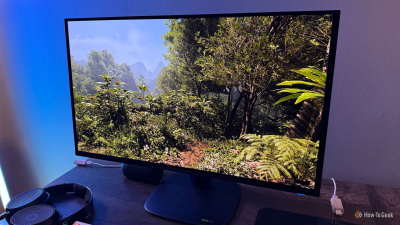
Credit: Ismar Hrnjicevic / How-To Geek
1440p OLED is the sweet spot
If you want the best of both worlds, you could opt for a 4K OLED monitor like the Alienware 27 4K QD-OLED (AW2725Q).
However, not everyone has that kind of cash to spend on a monitor. Plus, you won’t get the most out of 4K if you don’t have a powerful gaming PC to go with it.
Fortunately, 1440p strikes the perfect balance between image sharpness and being easy enough to drive with a more affordable graphics card. To give you a point of reference, my $1,000 PC, equipped with an AMD RX 6800 XT, has no trouble running most games at 1440p at a reasonable frame rate, especially if I enable FSR and set it to “Quality.”
Credit: Ismar Hrnjicevic / How-To Geek
However, the most relevant piece of information for the topic at hand is that 1440p OLED monitors have become more affordable.
Although they still cost slightly more than 4K IPS monitors, the premium for OLED isn’t as obscene as it once was, and the benefits are hard to argue against.
The AOC Agon PRO AG276QZD2 is frequently on sale in the $450–$500 range, and I’ve even seen it drop as low as $400 for Black Friday.
If you don’t absolutely need a 240Hz refresh rate (and you probably don’t), you could save a significant amount by opting for the Samsung Odyssey OLED G5 (G50SF).
At its current sale price of $380, it’s the cheapest OLED gaming monitor on the market, and it still offers a respectable 180Hz refresh rate. I’d choose it over a similarly priced 4K IPS monitor like the ASUS ROG Strix XG27UCG in a heartbeat.
Samsung 27-inch Odyssey OLED G5 (G50SF)
$380
$550
Save $170
The Samsung 27” Odyssey OLED G5 (G50SF) is one of the most affordable OLED gaming monitors. Its a 180Hz refresh rate and 0.03ms response time allow it to deliver ultra-smooth, lag-free gameplay for both competitive and cinematic gaming.
Screen Size
27″
Brand
Samsung
Max. Refresh Rate
180Hz
Leave a Reply